
/install bring-rezepte
Bring App
When to Use
- User fragt nach Rezeptvorschlägen oder saisonalen Gerichten ("Was essen wir heute?", "Rezeptideen", "saisonale Inspirationen")
- User möchte Einkaufslisten anzeigen oder aktualisieren ("Was steht auf der Einkaufsliste?", "Füge ... hinzu")
- User will Zutaten für ein Rezept hinzufügen
- User fragt nach Bring-Liste-Status oder Rezept-Markern
- Jegliche Anfragen rund um Einkaufsplanung und Rezeptauswahl
Overview
Build a Bring! CLI-focused skill that uses the updated node-bring-api to fetch inspirations (recipes), highlight seasonal dishes, and add user-selected ingredients to a shopping list.
WICHTIG: Immer explizit nach Bestätigung fragen, bevor Artikel zur Liste hinzugefügt werden!
Quick start workflow
- List inspiration filters and identify seasonal tags.
- Fetch inspirations using those tags.
- Summarize 3-7 seasonal dishes.
- IMMER FRAGEN: "Soll ich die Zutaten für [Rezeptname] zur Bring-Liste hinzufügen?"
- Nur bei expliziter Bestätigung: Add their ingredients (not the dish name).
Use references/bring-inspirations.md for endpoint details and headers.
These scripts load node-bring-api from:
BRING_NODE_API_PATH(if set), or../../node-bring-api/build/bring.jsrelative to this skill, or- the installed
bring-shoppingpackage.
Tasks
1) Discover available filters (season, diet, cuisine)
Run:
node scripts/bring_inspirations.js --filters
- Read the JSON and pick tags that look seasonal (e.g., winter/sommer/fruehling/herbst).
- If unsure, ask the user to pick from the filter list.
2) Fetch inspirations
Run:
node scripts/bring_inspirations.js --tags "\x3Ccomma-separated-tags>" --limit 20
- If the user did not specify tags, default to
mine. - Inspect the JSON and extract a short list of suggested dishes with any available metadata.
- Capture
content.contentSrcUrlfor each dish (needed to load ingredients).
3) Suggest seasonal dishes
- Return 3-7 options.
- Include dish name and 1 short sentence (if available in the JSON).
- WICHTIG: Frage explizit: "Welche Rezepte sollen zur Bring-Liste hinzugefügt werden?" oder "Soll ich die Zutaten hinzufügen?"
- Warte auf explizite Bestätigung des Users.
4) Add selected dishes to a list (ingredients only)
NUR NACH EXPLIZITER BESTÄTIGUNG, list available lists if needed:
node scripts/bring_list.js --lists
Add ingredients from the selected dish content URL(s):
node scripts/bring_list.js --list \x3Clist-uuid> --content-url "https://api.getbring.com/rest/v2/bringtemplates/content/\x3Cuuid>"
Or resolve by list name:
node scripts/bring_list.js --list-name "Einkauf" --content-url "https://api.getbring.com/rest/v2/bringtemplates/content/\x3Cuuid>"
List Management (v2.2.0)
Create a new shopping list:
node scripts/bring_list.js --create-list "Amazon"
Returns the new list's UUID and name. If a list with that name already exists, returns the existing list info without creating a duplicate.
Note: List deletion is not supported by the Bring API — lists can only be deleted via the Bring app.
Environment
These scripts default to ENV values:
BRING_EMAILBRING_PASSWORDBRING_COUNTRY(defaultDE)BRING_NODE_API_PATH(optional path tobuild/bring.js)
If ENV is not set, pass --email and --password explicitly.
Recipe Markers (v2.1.0)
Add items tagged with a recipe name so you can track which ingredients belong to which recipe:
node scripts/bring_list.js --list-name "Einkauf" --add-recipe "Lasagne" --recipe-items "Nudeln,Hackfleisch,Tomaten"
This stores each item with the specification [Rezept] Lasagne, acting as a recipe marker.
List distinct recipe markers on a list:
node scripts/bring_list.js --list-name "Einkauf" --recipe-markers
Returns a sorted array of recipe names currently on the list.
Recipe Search & URL Parsing (v2.2.0)
Workflow: Rezeptvorschläge machen
When a user asks for recipe suggestions ("Was soll ich heute kochen?", "Rezeptideen für Sommer"):
Step 1: Search for recipes
Use your web_search tool (Brave API) to find recipe URLs:
web_search("Sommer Rezepte vegetarisch site:chefkoch.de")
web_search("schnelle Abendessen Rezepte site:chefkoch.de OR site:lecker.de")
Pick 3-5 promising recipe URLs from the search results.
Step 2: Parse recipe URLs for structured data
node scripts/bring_inspirations.js --parse-url "url1,url2,url3"
Returns structured JSON per recipe: name, ingredients (itemId + spec), image URL, source URL. For a single URL, returns a single object. For multiple URLs, returns an array.
Step 3: Present options to the user Show the user the parsed recipes with:
- Recipe name
- Number of ingredients
- Source URL
- Key ingredients (first 5-6)
IMMER FRAGEN: "Möchtest du die Zutaten für [Rezeptname] zur Bring-Liste hinzufügen?" oder "Welche Rezepte soll ich zur Einkaufsliste hinzufügen?"
Step 4: Add selected recipe to list (NUR BEI BESTÄTIGUNG)
node scripts/bring_list.js --list-name "Einkauf" --add-recipe-url "https://www.chefkoch.de/rezepte/123/lasagne.html"
This parses the recipe, creates a marker (e.g., === LASAGNE ===), tags all ingredients with the recipe name, and batch-adds everything to the list.
Parse recipe URL (standalone)
node scripts/bring_inspirations.js --parse-url "https://www.chefkoch.de/rezepte/123/lasagne.html"
Returns structured ingredient data without adding to any list. Useful for previewing.
Supported recipe sites
The Bring parser supports most major recipe websites including:
- chefkoch.de
- lecker.de
- eatsmarter.de
- kitchenstories.com
- And many more (any site with structured recipe data / JSON-LD)
Recipe Images
CRITICAL: Never generate images for recipes. Recipe websites always include photos. Extract and use those instead.
Extract recipe image from URL
Method 1: Use --parse-url (preferred)
If the parser supports the site, the image URL is included in the JSON response:
node scripts/bring_inspirations.js --parse-url "https://www.chefkoch.de/rezepte/123/lasagne.html"
# Returns: { ..., "image": "https://img.chefkoch-cdn.de/rezepte/123/lasagne.jpg", ... }
Method 2: Fallback (manual extraction with web_fetch)
If --parse-url fails or returns no image, use web_fetch to extract the Open Graph image tag:
// Use web_fetch tool to get HTML (no exec approval needed)
web_fetch("https://www.chefkoch.de/rezepte/123/lasagne.html")

// Parse the returned markdown/text for og:image meta tag
// Extract URL from: \x3Cmeta property="og:image" content="https://...">
The image URL can then be used directly in markdown or Discord embeds — no download required:

Workflow for recipe suggestions with images
- Search for recipe URLs (
web_search) - Parse recipe URL (
--parse-urlorweb_fetchfallback) - Extract the recipe image URL (no download needed)
- Present recipe with:
- Name
- Image (embed via URL:
) - Key ingredients
- Source URL
- IMMER FRAGEN: "Soll ich die Zutaten für dieses Rezept zur Bring-Liste hinzufügen?"
- NUR BEI EXPLIZITER BESTÄTIGUNG: Add to shopping list
Example: Complete recipe workflow
# Step 1: Search
web_search("Lachs Honig Senf Rezept")
# Step 2: Parse via --parse-url (preferred)
node scripts/bring_inspirations.js --parse-url "https://www.eatclub.de/rezept/honig-senf-lachs/"
# → { ..., "image": "https://www.eatclub.de/wp-content/uploads/2023/09/shutterstock-416951386.jpg" }
# Step 2 (Fallback): Use web_fetch if parser fails
web_fetch("https://www.eatclub.de/rezept/honig-senf-lachs/")
# Parse HTML response for: \x3Cmeta property="og:image" content="...">
# Step 3: Present to user with image URL embedded
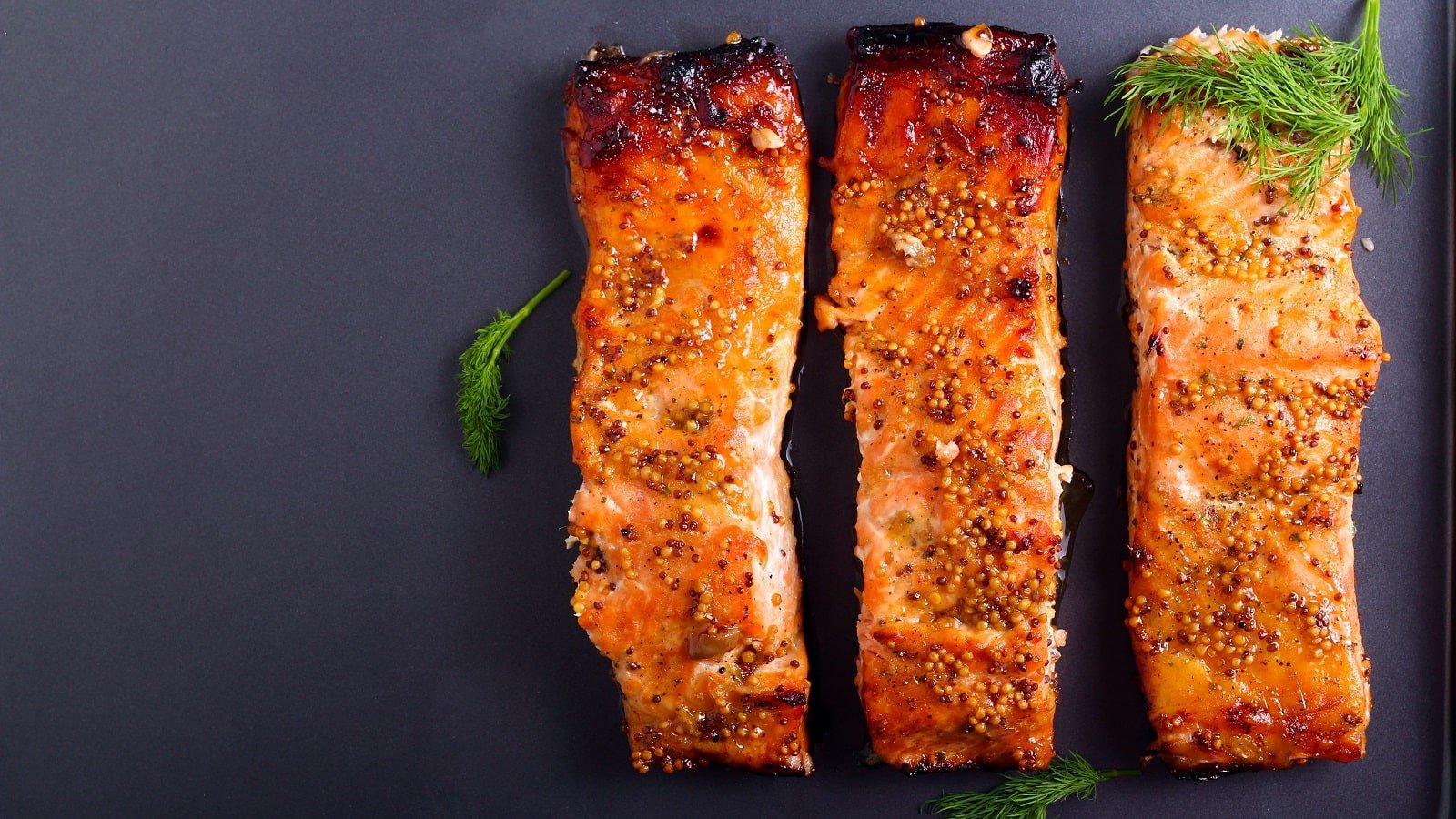
# 
# Zutaten: Lachs, Honig, Senf, Olivenöl, Knoblauch...
# Step 4: IMMER FRAGEN
# "Soll ich die Zutaten für Honig-Senf-Lachs zur Bring-Liste hinzufügen?"
# Warte auf: Ja / Nein / Bestätigung
# Step 5: NUR BEI BESTÄTIGUNG hinzufügen
# node scripts/bring_list.js --list-name "Zuhause" --add-recipe "Honig-Senf-Lachs" --recipe-items "..."
Beispiel-Dialog
Agent: "Ich habe 3 leckere Rezepte gefunden:
- 🍝 Spaghetti Carbonara (5 Zutaten)
- 🍛 Chicken-Curry (9 Zutaten)
- 🥗 Griechischer Salat (7 Zutaten)
Welche Rezepte soll ich zur Bring-Liste hinzufügen?"
User: "Das Curry klingt gut"
Agent: "Soll ich die Zutaten für Chicken-Curry zur Bring-Liste 'Zuhause' hinzufügen? (9 Artikel: Hähnchen, Kokosmilch, Curry...)"
User: "Ja"
Agent: "✅ Zutaten für Chicken-Curry hinzugefügt!"
Mehrere Rezepte gleichzeitig
Bei mehreren Rezepten IMMER einzeln bestätigen lassen oder explizit fragen:
- "Soll ich ALLE 3 Rezepte hinzufügen?"
- "Welche der Rezepte soll ich hinzufügen? (1, 2, 3 oder alle)"
Remember:
- Recipe images come from the source website, never from image generation tools
- Use the image URL directly — no download needed (platforms load images themselves)
web_fetchavoids exec approvals and works seamlessly with OpenClaw
Notes
- Keep the skill output in German for Germany by default.
- KRITISCH: NIEMALS Artikel ohne explizite Bestätigung hinzufügen!
- IMMER FRAGEN: "Soll ich die Zutaten zur Bring-Liste hinzufügen?" oder ähnliche Formulierung
- NUR BEI JA/BESTÄTIGUNG: Erst dann zur Liste hinzufügen
- Always add ingredients instead of the dish name when using inspirations.
- Bei mehreren Rezepten: Einzeln oder alle zusammen bestätigen lassen
Resources
scripts/
scripts/bring_inspirations.js: Log in and call inspirations and filter endpoints.scripts/bring_list.js: List available shopping lists and add items.
references/
references/bring-inspirations.md: Endpoint details and headers.
- 确保已安装 OpenClaw(本地或 Docker 部署)
- 在对话框中输入安装命令:
/install bring-rezepte - 安装完成后,直接呼叫该 Skill 的名称或使用
/bring-rezepte触发 - 根据 Skill 的参数说明提供必要输入,即可获得结构化输出
Bring Rezepte 是什么?
Use when running the OpenClaw/ClawHub Bring! skill to search recipes on the web, parse recipe URLs for ingredients, and add ingredients to a Bring shopping l... 它是一个面向 Claude Code / OpenClaw 的 AI Agent Skill 插件,目前累计下载 811 次。
如何安装 Bring Rezepte?
在 OpenClaw 或 Claude Code 对话框中运行命令「/install bring-rezepte」即可一键安装,无需额外配置。
Bring Rezepte 是免费的吗?
是的,Bring Rezepte 完全免费(开源免费),可自由下载、安装和使用。
Bring Rezepte 支持哪些平台?
Bring Rezepte 跨平台运行,可在任意部署了 OpenClaw / Claude Code 的环境中使用(cross-platform)。
谁开发了 Bring Rezepte?
由 Dolverin(@dolverin)开发并维护,当前版本 v1.3.0。